Xtream & M3U
Catalogues read in chunks, backup servers, differential sync: only changed rows are rewritten.
 Cyberstream
v2.0.0 · available on Android and Android TV
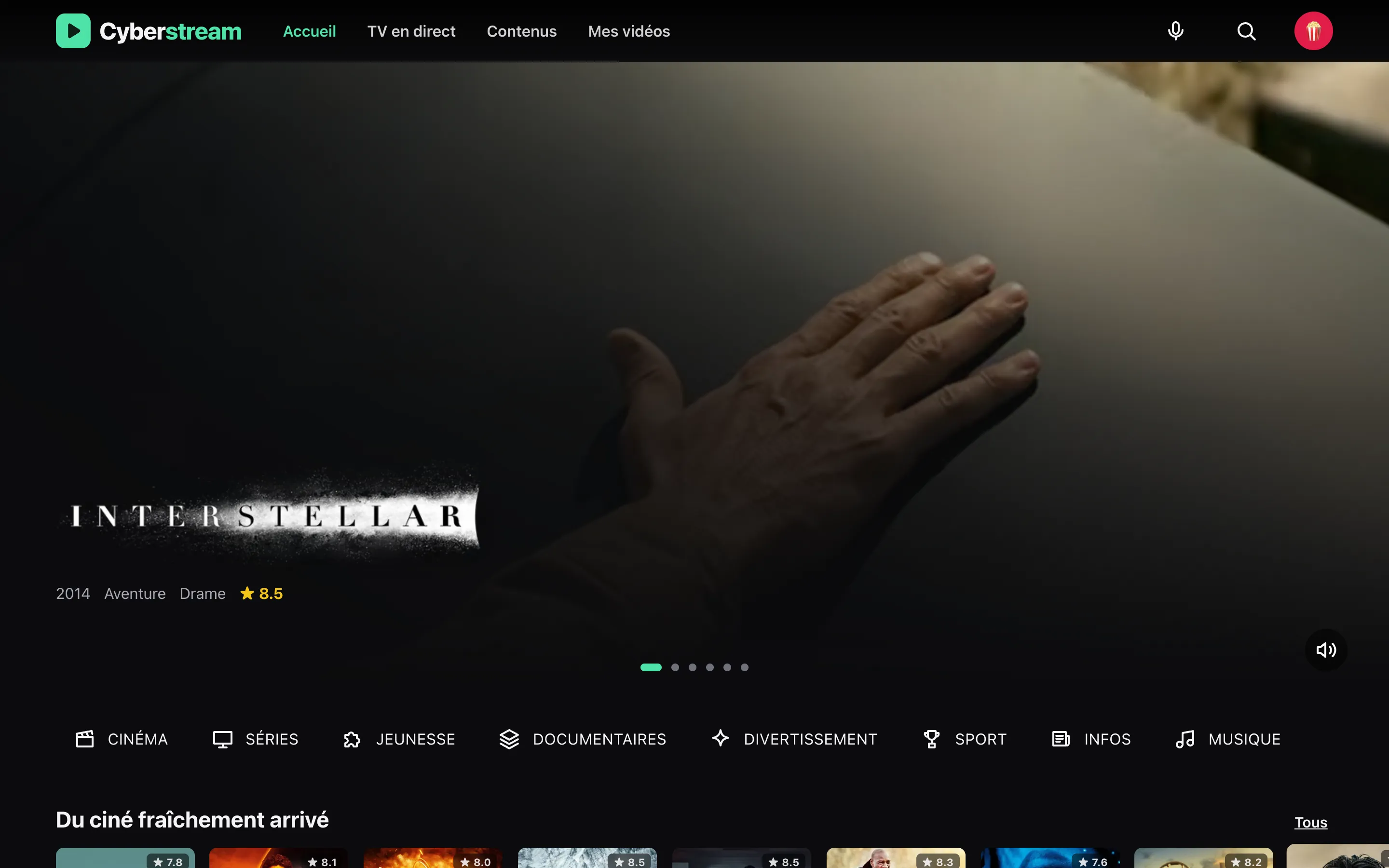
Cyberstream plays your Xtream and M3U sources: live channels, TV guide, movies, series and catch-up. The same WebAssembly module runs on phones, TVs, desktops and browsers.
Recorded with the demo source and TMDB metadata.
// 01 — features
Catalogues read in chunks, backup servers, differential sync: only changed rows are rewritten.
Virtualised channel × time grid, day-by-day navigation, gzip and time zones handled. Past programmes play back as catch-up.
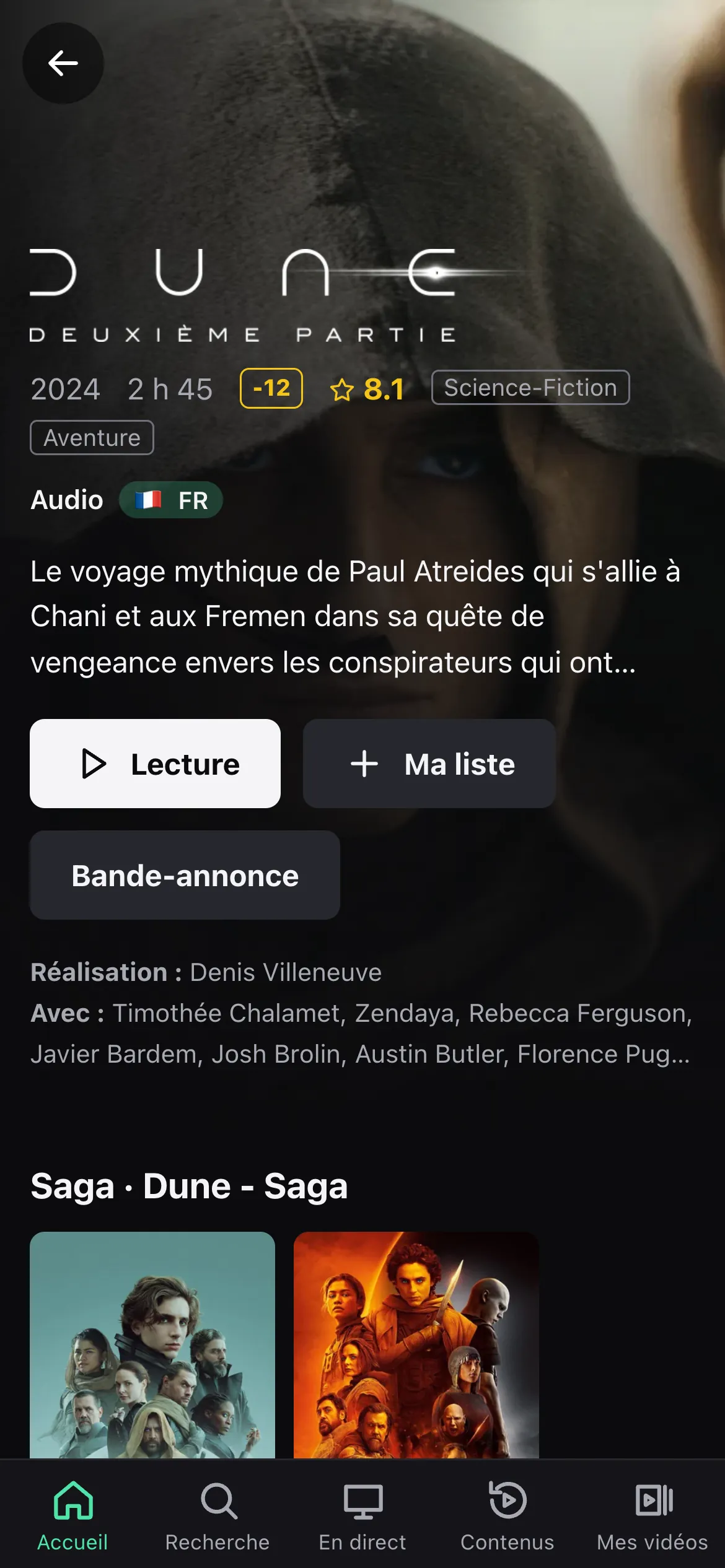
Pages enriched by TMDB: cast, collections, age ratings, seasons and episodes, resume and next episode.
Local 30 to 60 min buffer: pause, ±10 s and back to live on HLS streams, with automatic switch to a backup stream.
“Put on channel 5”, “search Dune”, “go back 30 seconds”. Understood on the device, in the 14 interface languages.
Scan the code on the TV with your phone: profile, sources and settings arrive without typing a URL with the remote.
ARTE, france.tv and Okoo built in, plus YouTube RSS feeds. Official streams come first for public channels.
SRT, WebVTT and OpenSubtitles hash search. Trakt scrobbling, watchlist and recommendations on the home screen.
Several profiles with their own language, avatar and age limit. Service tokens stay in the device's secret store.
// 02 — interface
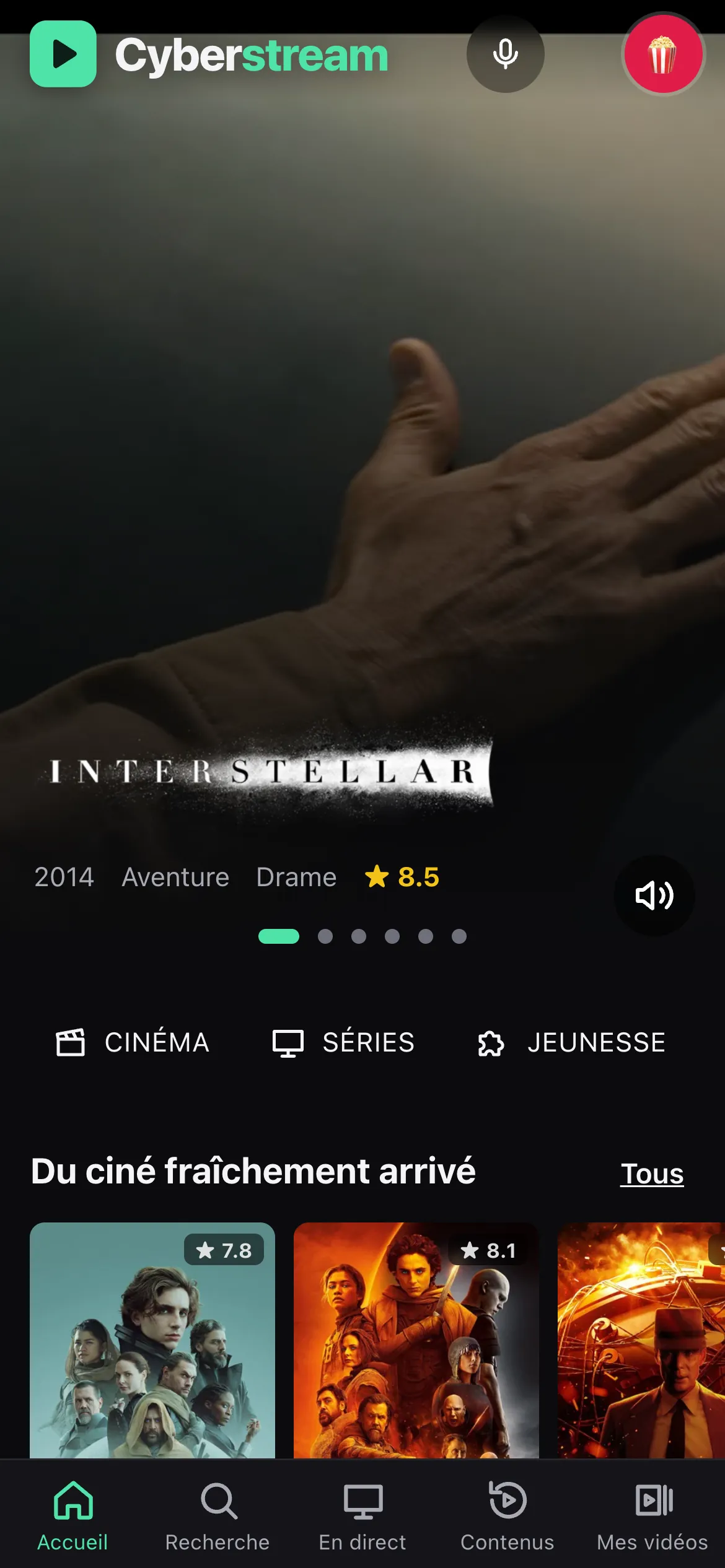
// mobile
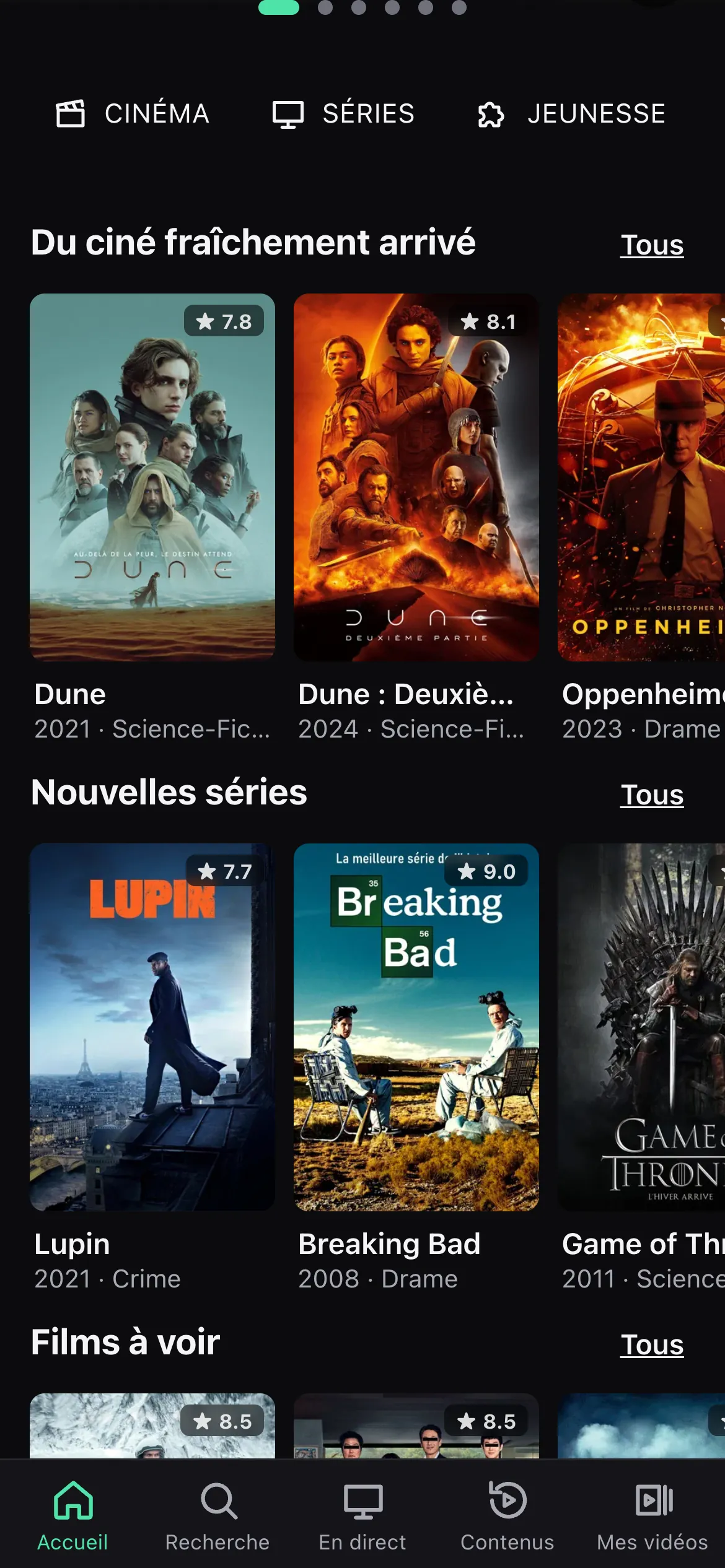
On phones, the tab bar moves to the bottom, rows scroll with your finger and the player supports picture-in-picture. The same APK installs on phones and shows up in the Android TV launcher.
// 03 — engine
// 04 — install
Cyberstream-x.y.z.apk from the latest release.adb:adb -d install -r Cyberstream-1.0.1.apkAndroid 7 (API 24) minimum, with a WebView that supports WebAssembly. After that, the app checks GitHub for new versions by itself.
Stable Rust with the WebAssembly target, Node.js 22.12 or later and npm.
rustup target add wasm32-unknown-unknown
cargo install --locked wasm-bindgen-cli --version 0.2.108
npm ci
cargo test --locked && npm test
npm run dev -- --host 127.0.0.1
In development, pick the demo source during setup to try it without a subscription.
The desktop host uses Electron. Run it locally or build the macOS, Windows and Linux packages:
npm run desktop
npm run desktop:dist