WinSCP is the reference SFTP client on Windows, loved for its power and its scripting. It only exists for Windows, though, and its full terminal is PuTTY in another window. Cyberdog gives you the same everyday workflow (browse, edit, transfer) on macOS, Windows and Linux, with a terminal and a health dashboard in the same window, and it imports your WinSCP sites.
Command window; a full interactive terminal goes through PuTTY.
Built in, under the explorer, in the current folder.
Folder synchronization
Yes.
Not yet.
Scripting and automation
Yes: scripting, command line and .NET assembly.
Quick actions: saved bash scripts run on one or on every open server.
Server health, services, logs, Docker
Not included.
Yes, agentless over SSH.
Jump host
SSH tunnel setting.
Reusable bastion with a route test (one hop).
Teams
No built-in team features.
Roles, shared servers, shared scripts and history. Free, optional account.
Import
–
Imports WinSCP SFTP sites (INI export), plus Cyberduck and FileZilla.
Based on public documentation, checked November 2026. Products evolve: if something is out of date, please open an issue on GitHub.
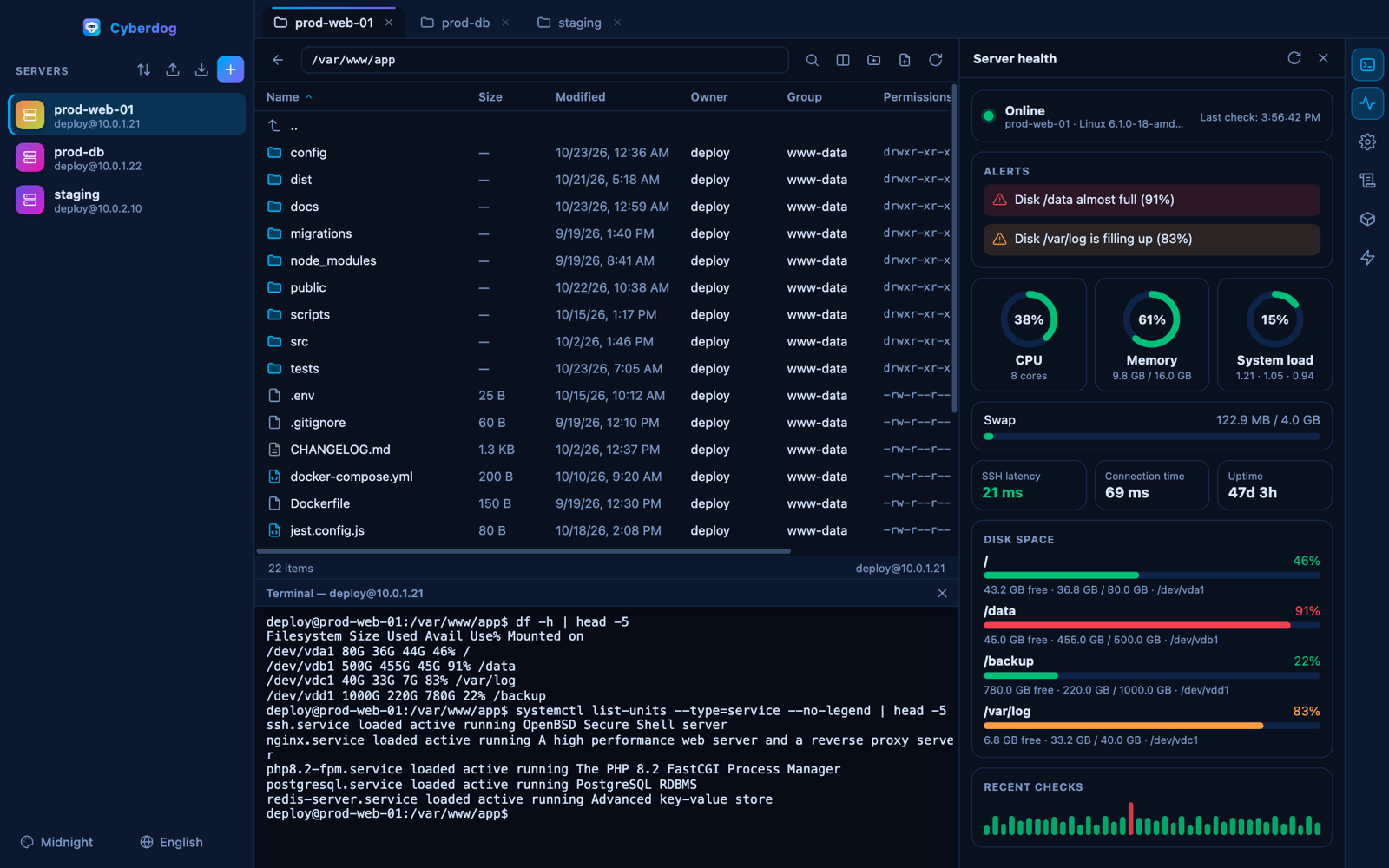
What Cyberdog looks like
File explorer, terminal and server health in one window.
Bringing your WinSCP sites over
In WinSCP, use Tools, then Export/Backup configuration, and save the INI file. In Cyberdog, open the import menu, choose WinSCP and select that file. Your SFTP sites are added as servers. Third-party passwords are not imported, so enter them once in Cyberdog or use an SSH key.
Questions
Does Cyberdog run on Windows?
Yes. There is an installer and a portable edition for Windows 10 and 11, plus macOS and Linux builds, all from the GitHub releases page.
Can I import my WinSCP sites?
Yes, SFTP sites: export your configuration from WinSCP as an INI file and choose WinSCP in the Cyberdog import menu.
Can Cyberdog script and automate transfers like WinSCP?
Not in the same way. Cyberdog has quick actions, saved scripts that run on one or several open servers, but no scripting API, no command-line transfers and no folder synchronization.
Is Cyberdog affiliated with WinSCP?
No. Cyberdog is an independent open-source project and is not affiliated with or endorsed by the WinSCP project.
Try Cyberdog
Free, open source, no account needed. Your passwords stay on your computer.
Cyberduck, Termius and WinSCP are trademarks of their respective owners. Cyberdog is an independent project and is not affiliated with or endorsed by them.
 Cyberdog